

HOW C3 WORKS
Start with a person.
Follow the work.
A document belongs to someone. A task supports an operation. A request proposes a change. C3 gives each a place, with the related records close at hand.
01 / PEOPLE & RECORDS
A person’s record is
a place to start.
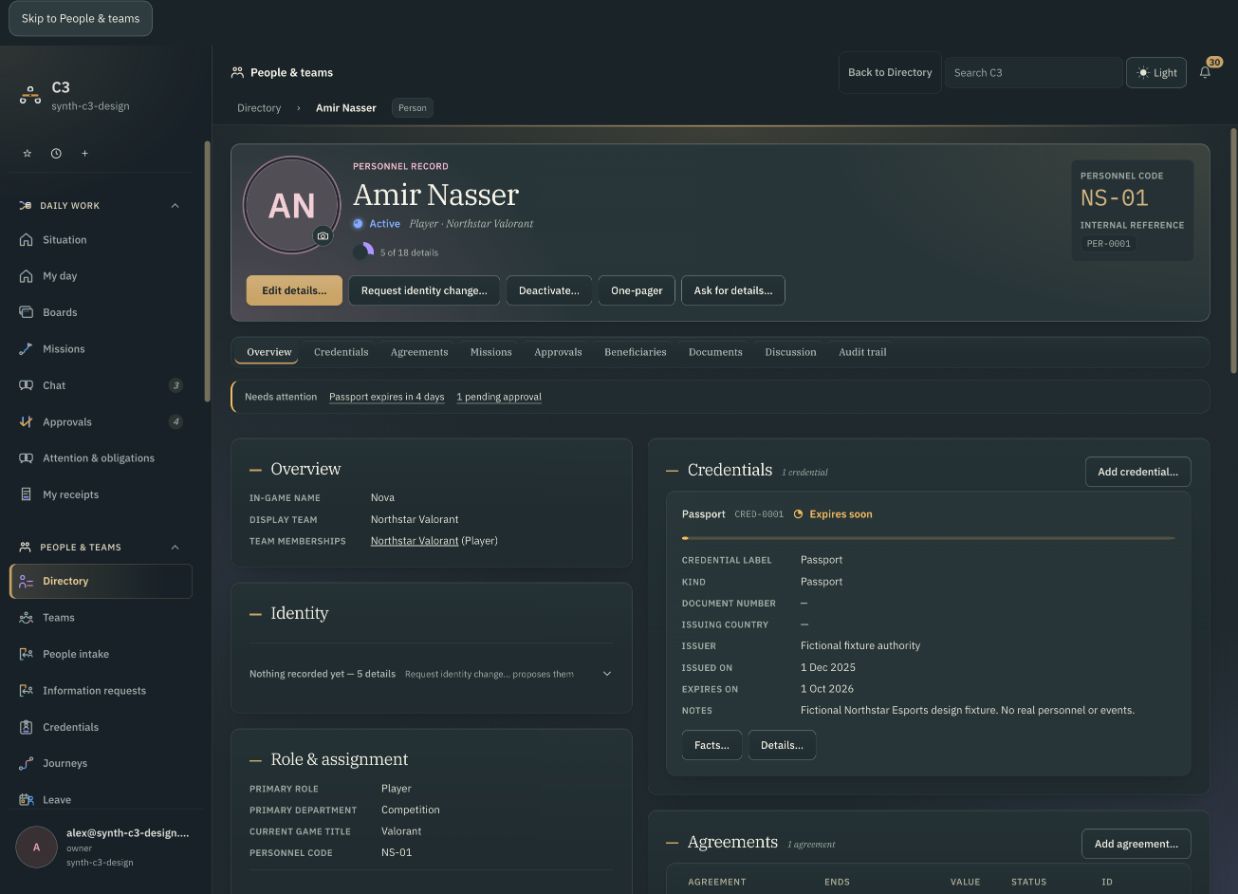
Open Amir’s record to see his credentials, agreements and mission assignments. These describe different parts of his involvement with the team.
- Credentials
- Documents and their recorded details, including expiry dates.
- Agreements
- The agreements connected to that person.
- Mission assignments
- The operations they are part of.
In the example: Amir’s passport expires on 1 October. His team’s event starts on 3 October. The coordinator needs to follow up.
02 / DAILY WORK & BOARDS
Give the follow-up
an owner.
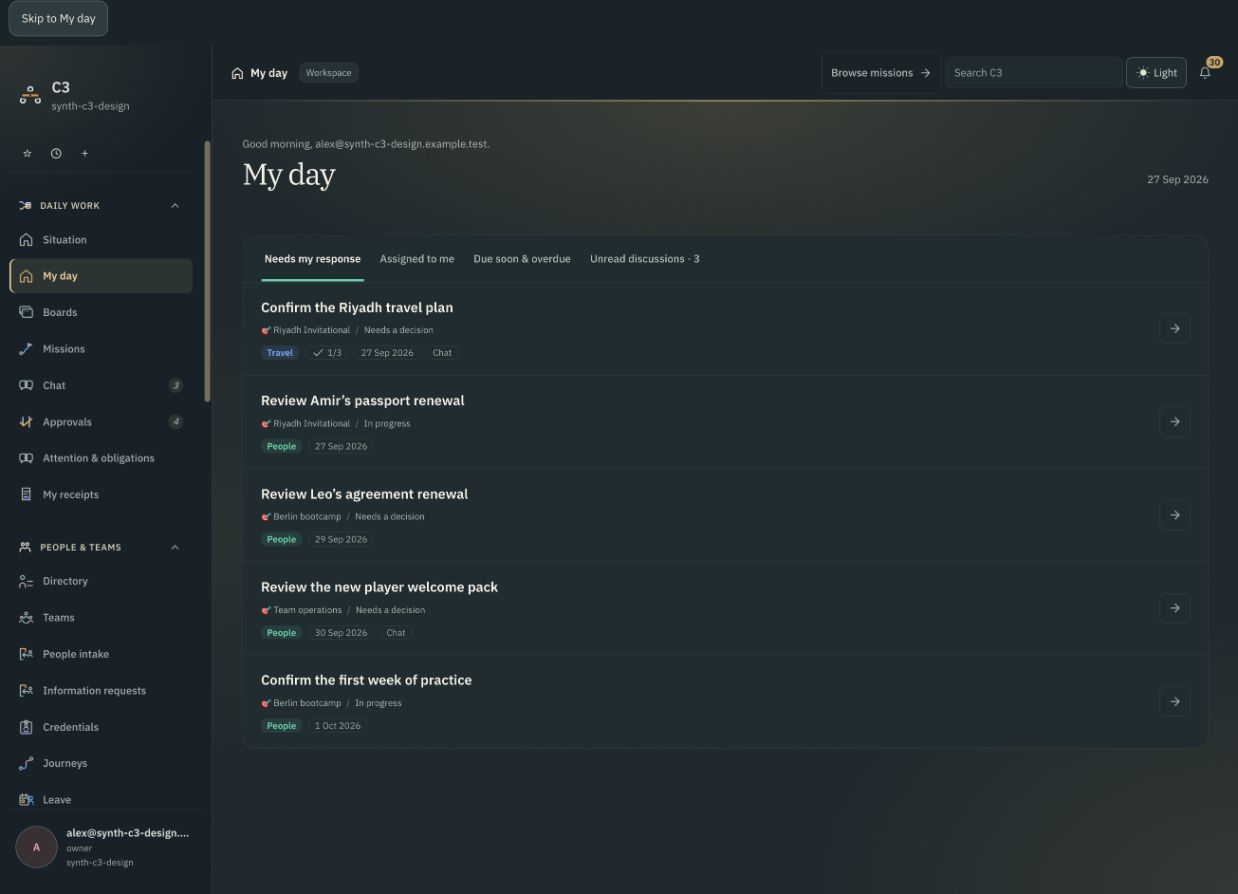
The coordinator creates a task on the event board and assigns it to Nadia. The task has a description, progress state and due date. Work that needs someone’s response can also appear in their My day view.
The board holds the team’s work together. My day gives an individual a way into the items that need their attention.
In the example: “Review Amir’s passport renewal” is in progress. Nadia owns it. Completing the task does not update the passport record.
03 / MISSIONS
Give the operation
its own context.
A mission is a named operation, such as an event or team trip. It brings its people, dates and records together. Boards hold the work around it.
FICTIONAL OPERATION
Riyadh Invitational
- When
- 3–7 October 2026
- Who
- Amir and the Invitational roster
- Work around it
- Travel plan, equipment checks and passport renewal
The same person can be involved in more than one operation. Their record remains the place to find their linked information.
04 / REQUESTS & DECISIONS
Make the proposed
change visible.
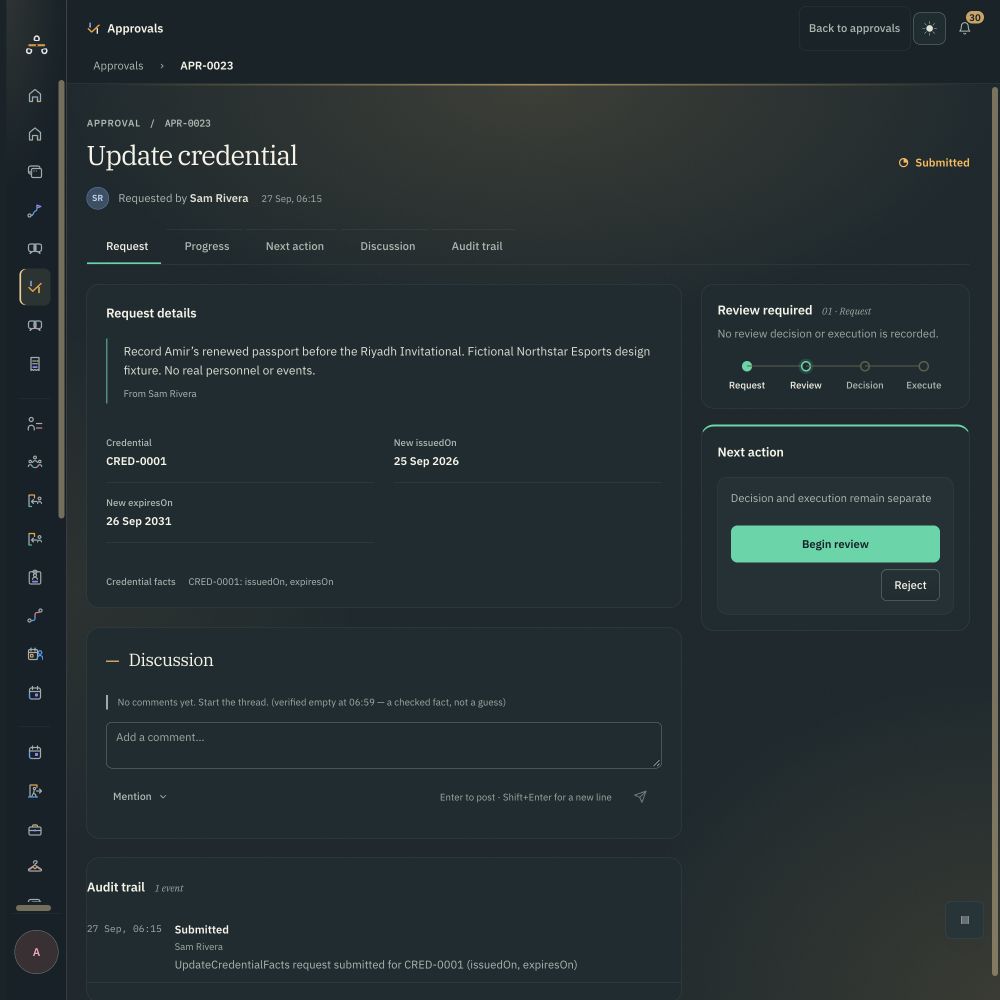
Sam submits updated dates for Amir’s credential. The request identifies the record and the values being proposed, so the reviewer can inspect the change.
For this credential request, a decision and execution are separate. The example is still awaiting review: no decision or execution has been recorded.
In the example: request APR-0023 proposes a new expiry of 26 September 2031 for credential CRED-0001.
A few useful distinctions.
Is a task the same as a request?
No. A task organises work and responsibility. A request proposes a change to a record. In this example, finishing the task does not execute the credential update.
Does every change need approval?
No. The path depends on the kind of change and the person’s authority. This example demonstrates the credential-request path.
Is this available to sign up for today?
C3 is in active development. Access is arranged with the team. These local product views explain the working model; the version and capabilities available to an organisation need to be discussed when arranging access.
YOUR OPERATION
Where does your team
lose the thread?
Tell us about the people, records and work you need to keep together.
Talk to the C3 team